---
title: "Conversions Dashboard"
description: "Conversions Dashboard"
url: https://docs.optimizepress.com/en/articles/5-conversions-dashboard
collection: "OptimizePress Dashboard"
updated: 2026-09-30
language: en
---
# Conversions Dashboard
Conversions Dashboard
> Conversions Dashboard is a feature available in the **Suite, Scale & Agency** plans only
The Conversions Dashboard is an area that allows you to get a top-down overview of your most important metrics - Your **Leads**, **Conversions** & **Conversion Rates**.
## How to Access Conversions & Leads Data
You can access it by going to **OptimizePress** and clicking on **Conversions**.
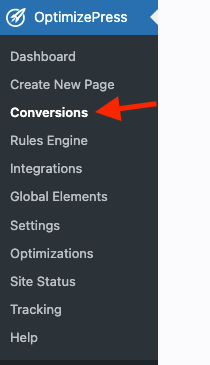
You will be taken to the main conversions dashboard.
## Leads & Performance
Here you will see the leads and performance data
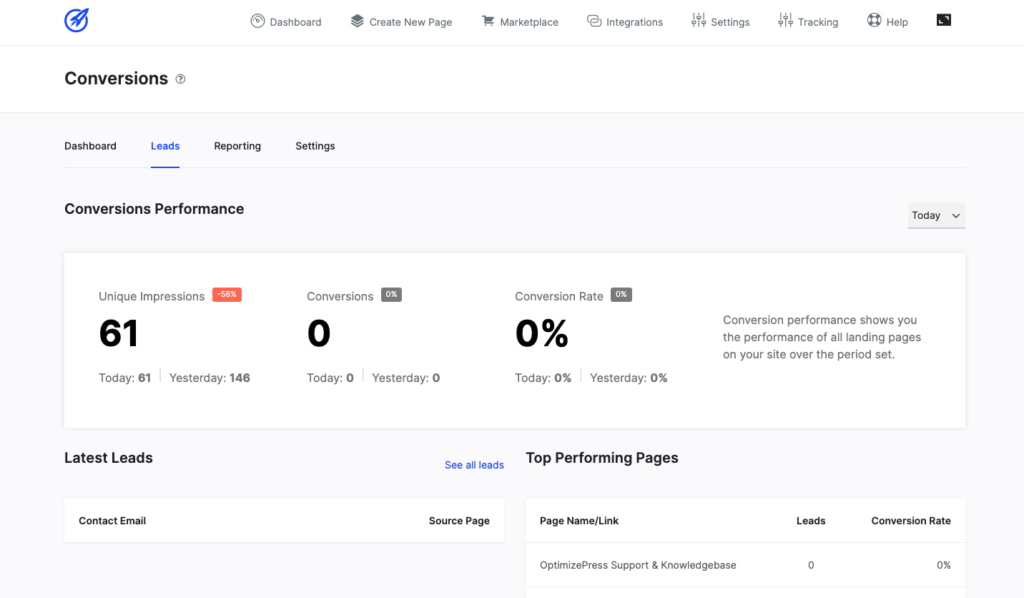
The main area will be the Conversions Performance section, which displays the performance of all of your landing pages on your website over a set period.
You will be able to check out your **Unique Impressions**, **Conversions**, and **Conversion Rates** as well as your **Latest Leads** and **Top-Performing Pages**.
Invaluable data for helping you optimize your pages and gain better results.
## Reporting
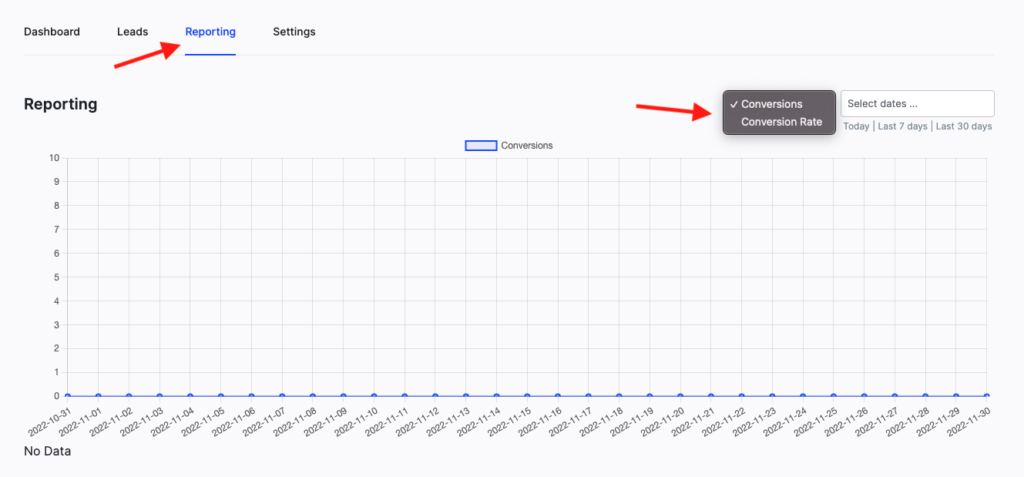
Clicking on the **Reporting** tab will take you to the Reporting dashboard.
Here, you will be able to get a graphical view of your business growth. You will be able to view your data as **Conversions**or as **Conversion Rates**.
Finally, the Settings tab takes you to an area that includes a single option to **Enable Conversions Tracking** on your website.
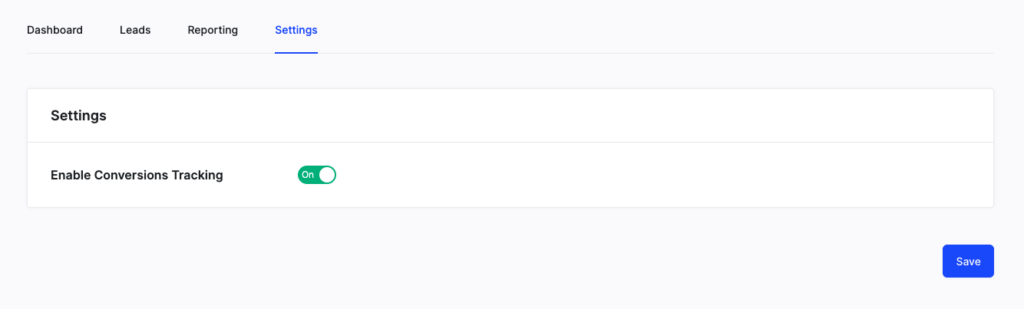
This is set to **On** by default and recommend leaving this as is in order to track your sales on your website.
* * *
## Frequently Asked Questions
### _How can I reset the Conversions Data_
Currently we do not have a setting that will allow resetting the data, however you may "Empty" that data from the following database tables
- optimizepress\_stats\_views
- optimizepress\_stats\_data
Empty the data there to clear the data under “OptimizePress > Conversions”
Please be warned that you should take a database backup prior to doing anything manually in your database. Failure to do so is not our responsibility. If you damage your site and do not have a backup, we will not be able to fix it.
Do NOT delete any OptimizePress database tables. You can "Empty" the data from them, but do not "Drop" the tables.
### _Why don't I see the name or email of leads in the Leads area when using a custom HTML form?_
If you are using a custom HTML form integration in the OptimizePress optin form, you'll need to specify within those fields in your HTML form by changing the name="" parameter to match the fields data that OptimizePress expects.
Example of name and email fields what will work: (note the name="" part of the input fields)
```javascript
```
Example of what does not work:
\- Note that "Email" should be "email" in order for it to work properly.
```javascript
```