


You may have already read our guide on how to pre-fill OptimizePress optin form fields. If not, we would highly suggest doing that before proceeding as this guide is written with that information in mind (you'll need to learn about the information in that guide first).
Pass Optin Form data to OptimizePress Checkout Form.
Now we'll take it one step further and use those URL parameters on a checkout form.
In our previous guide, we used "fname" for the URL mapping on the optin form "First Name" field. We also used "email" for the Email field. We'll continue with using those same URL Parameters for this as well.
Firstly you add the checkout form to your page and add the same URL mapping for all the fields.
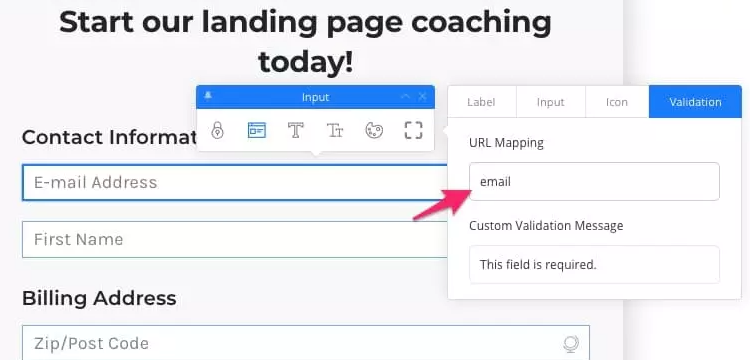
Next we add the checkout page URL to the Redirect to URL form post action and turn on Autofill Form Fields.
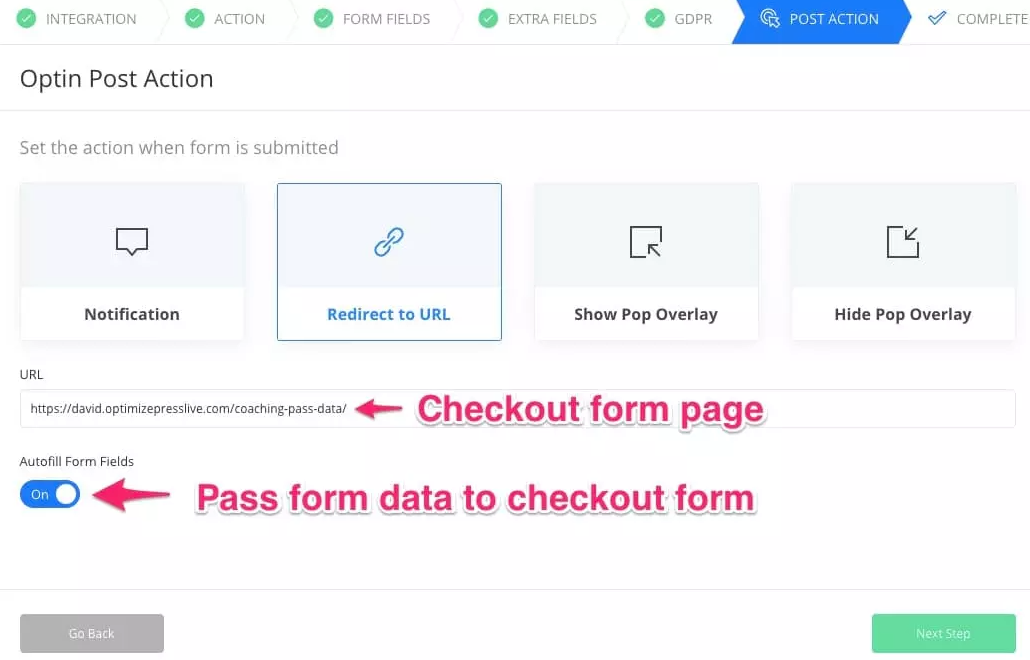
What happens now is the data submitted in the opt-in form is passed to the checkout form and pre-fills any fields that match up.
In this example it fills the name (fname) and email (email).
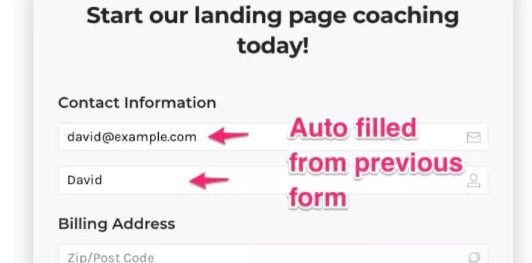
Using this feature gives you a lot of possibilities. While we do plan to add 2-step checkout forms in the future, these options will allow you to basically set that up now by taking your potential buyers from a optin form to a checkout form, and automatically fill the name/email fields.
Pass data to ThriveCart Checkout page
If you are using ThriveCart and would like to know how to pre-fill the fields on your checkout form, you can easily do that with the parameters that ThriveCart provides for this.
In this example, we'll be using the following parameters from ThiveCart
passthrough[customer_firstname]
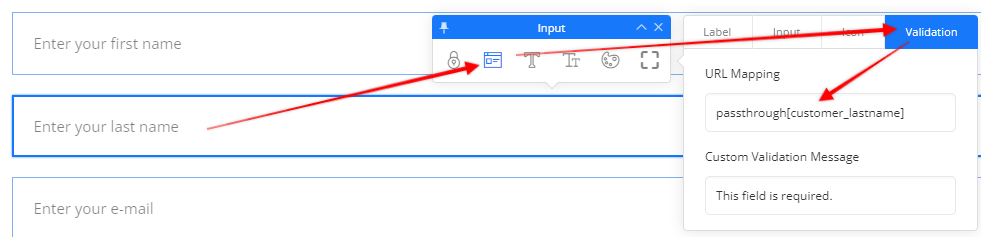
passthrough[customer_lastname]
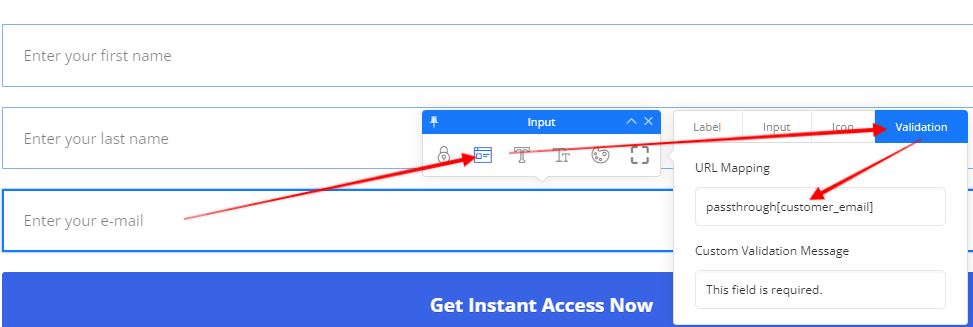
passthrough[customer_email]
We'll need to add these to the URL mapping of the optin form element. To do that, click on the fields and put these passthrough parameters like you see in the screenshots here: 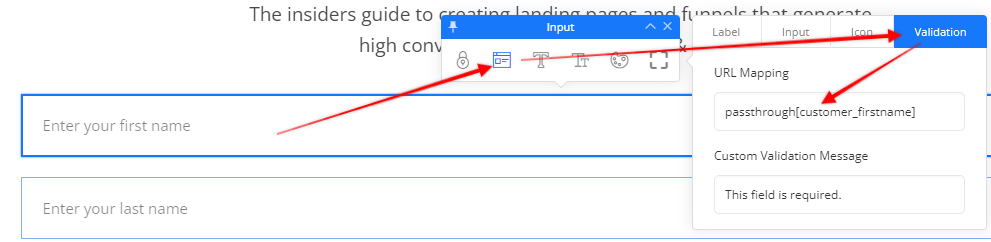
Make sure you still have the autofill form fields turned on.
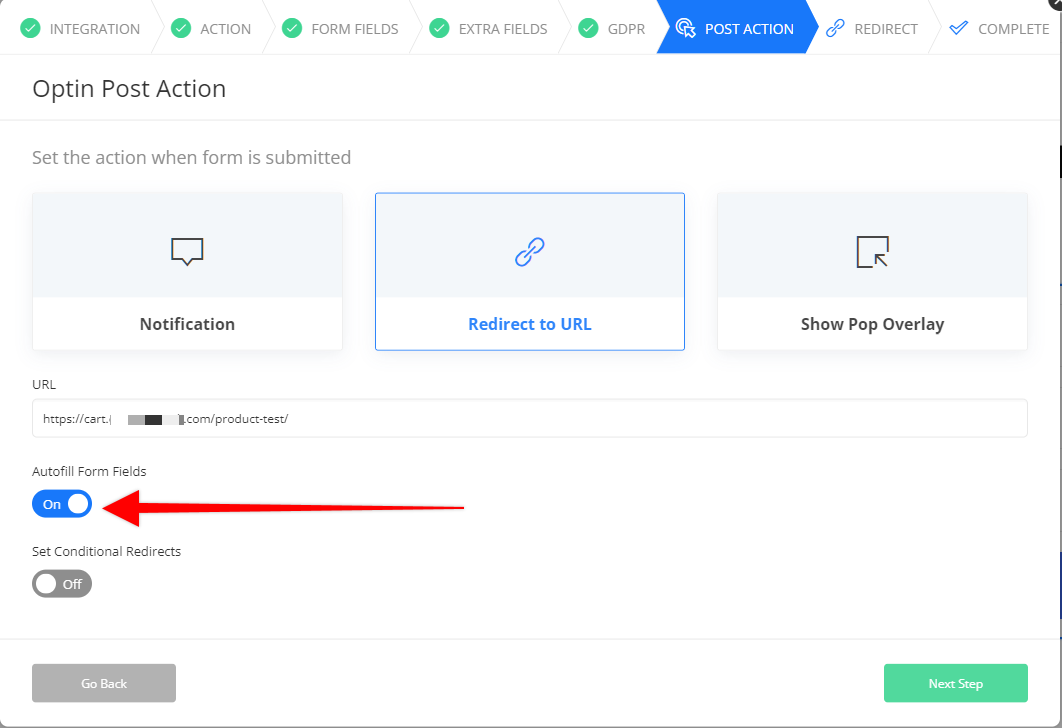
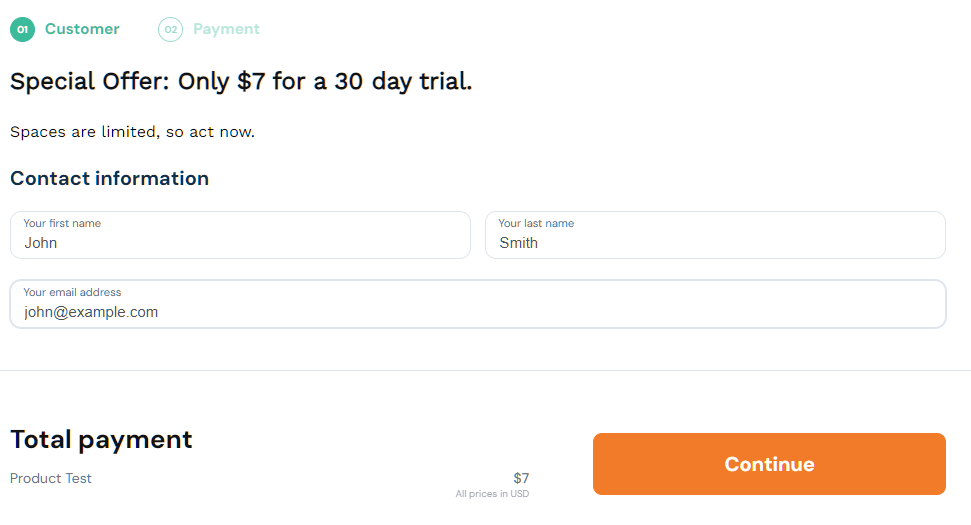
When you test the optin form you'll now see that your ThriveCart checkout form is filled in automatically.
If you should have any difficulty settings this up, please reach out to our team for further guidance and they'll be happy to help you further.